 newoaks.ai
newoaks.ai › Blog › Can an AI Agent Automatically Follow Up With Website Form Leads?
← All articlesCan an AI Agent Automatically Follow Up With Website Form Leads?

Key takeaways
- A website form can trigger an automated AI workflow for acknowledgment, qualification, booking, routing, and CRM logging.
- Email, SMS, and voice can use identifiers captured directly by the form; social channels require a valid connected identity or existing conversation.
- NewOaks AI publishes capabilities for website, SMS, voice, WhatsApp, Instagram, Facebook Messenger, email, lead capture, scheduling, webhooks/API, and live handoff.
- The first response should be targeted, concise, and sent within five minutes when the workflow is configured to do so.
- Consent, opt-out, do-not-call, recording, disclosure, retention, and human-escalation controls should be built into the workflow.
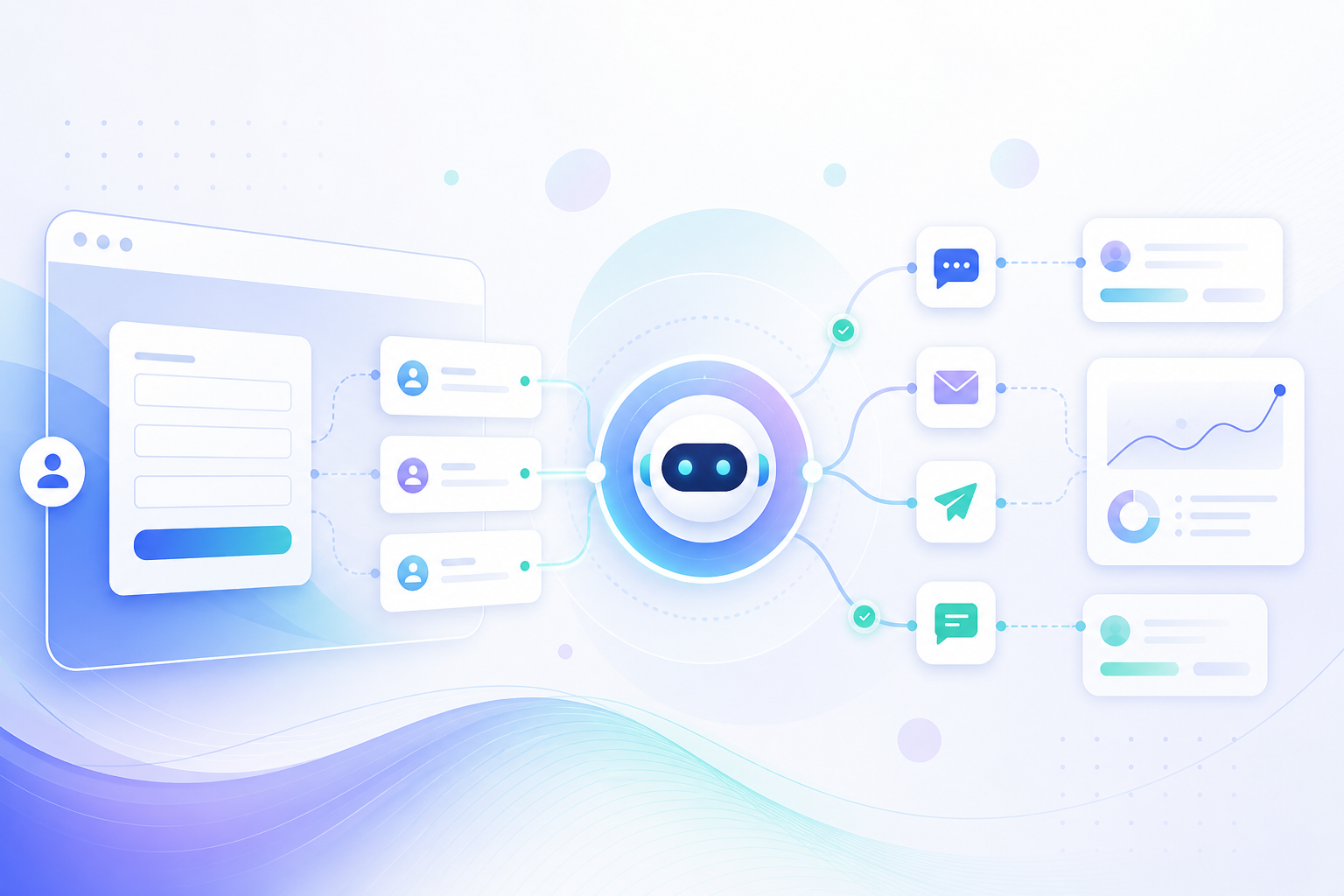
Yes. NewOaks AI can use a website inquiry as the starting point for an automated lead workflow that captures the submission, routes the contact, sends an approved response, qualifies the request, supports appointment booking, hands complex conversations to a person, and records the outcome.
Can an AI agent automatically follow up after a website form submission?
Yes—an AI agent can automatically follow up after a website form submission by turning the submitted fields into a routed email, SMS, voice, website, or connected-channel conversation.
The form submission supplies the trigger and the context. A workflow can use the prospect’s name, email address, phone number, requested service, location, preferred contact method, and free-text inquiry to determine what happens next.
A typical workflow:
1. Receives the form event through a native integration, webhook, or automation platform.
2. Creates or updates the contact record.
3. Checks duplicate records, ownership, service area, business hours, language, and inquiry type.
4. Selects an approved communication path.
5. Sends an acknowledgment or starts a configured conversation.
6. Asks focused qualification questions.
7. Offers appointment times or routes the inquiry to a human.
8. Records the message, call outcome, qualification data, booking status, consent history, and next step.
NewOaks AI is relevant when the workflow needs website chat, SMS, voice, WhatsApp, Instagram, Facebook Messenger, email, lead capture, appointment scheduling, webhooks or API connections, and live handoff capabilities.
What happens after an AI agent receives a website form lead?
After receiving a form lead, the AI agent should capture the data, match or create the contact, apply routing rules, respond through an approved channel, qualify the inquiry, book or escalate the opportunity, and log the complete interaction.
| Stage | Automated action | Required setup |
|---|---|---|
| Trigger | Receive the form submission | Form integration, webhook, or automation trigger |
| Data mapping | Map fields such as name, phone, email, service, and inquiry text | Matching CRM fields and duplicate rules |
| Routing | Assign the lead by service, location, language, owner, urgency, or business hours | Routing logic and ownership rules |
| First response | Confirm receipt and reference the submitted request | Approved message templates and channel permissions |
| Qualification | Ask only the questions needed for the next decision | Approved questions, knowledge base, and disallowed topics |
| Booking | Offer available times and create the appointment | Connected calendar, time-zone rules, and confirmation process |
| Handoff | Transfer the conversation or create a task for staff | Human escalation rules and response ownership |
| Logging | Save the conversation, outcome, and next action | CRM, webhook, API, or platform activity records |
Why should website form follow-up start immediately?
An AI form-follow-up workflow should send its first approved response within five minutes of submission.
Fast response is operationally useful because the prospect has just expressed interest and the request is still easy to identify. Automation removes the need for staff to monitor every inbox manually, while routing and retry limits prevent the system from contacting the same person repeatedly through conflicting workflows.
The first response does not need to complete the sale. It should acknowledge the request, answer an immediate question when possible, collect one or two missing details, and provide a clear next step.
The commonly cited 2007 Lead Response Management Study compared call timing, contact outcomes, and qualification outcomes using more than 15,000 web leads and more than 100,000 call attempts across six companies. Its frequently repeated “21 times” finding describes a relative change in the odds of qualifying a lead when the first call occurred within five minutes rather than after 30 minutes; it does not describe a 21-fold conversion rate or guarantee the result for every business.
Which channels can an AI agent use to follow up with form leads?
The workflow should use the channel for which it has a matching identifier, a permitted use, and an approved business purpose.
Email can be triggered directly from a form when the form captures an email address. It works well for confirmations, detailed answers, documents, scheduling instructions, and follow-up summaries.
SMS
SMS can be triggered directly from a form when the form captures a mobile number and the business has collected the required SMS consent. It is suited to short confirmations, replies, reminders, and appointment coordination.
Voice
A voice agent can be triggered from a form when the form captures a phone number and the workflow permits an outbound call. The agent can identify the business, acknowledge the inquiry, ask approved questions, offer scheduling options, and transfer the conversation when escalation is required.
Website chat
Website chat usually serves visitors while they are still on the site, but a form event can also create a follow-up task or return the visitor to a chat experience when the platform supports that workflow.
WhatsApp, Instagram, and Facebook Messenger
These channels generally require an existing channel conversation, a platform-approved business connection, or a separate identifier that can be matched reliably to the form record. An email address or phone number alone does not automatically prove that a person’s social account belongs to the form submitter.
Internal notifications
The workflow can send an internal alert, create a CRM task, assign an owner, or notify a sales queue when the inquiry requires staff involvement.
For NewOaks AI, published product materials list website, SMS, phone or voice, WhatsApp, Instagram, Facebook Messenger, and email capabilities, along with lead capture, appointment scheduling, webhook/API options, and live chat handoff. The implementation should enable only the channels and integrations needed for the specific form workflow.
How should identity matching work across channels?
Identity matching should use verified form identifiers, deterministic CRM matching rules, and channel-specific records rather than guessing that two accounts belong to the same person.
Use the following matching order:
1. Match an existing CRM record by a normalized email address.
2. Match by a normalized phone number when the number is available.
3. Match a known channel identifier when the prospect has already interacted through that channel.
4. Require human review when records conflict or multiple contacts share an identifier.
5. Preserve the original form submission and consent record even when the contact is merged.
Do not copy a conversation from one channel into another unless the workflow has a valid reason, the channel is available, and the prospect has the required permission for the new communication method.
Can an AI voice agent qualify leads and book appointments?
Yes—an AI voice agent can qualify a form lead and book an appointment when the workflow provides approved questions, accurate business information, calendar access, routing rules, and a human escalation path.
A focused voice flow can:
- Identify the business and explain the reason for the call.
- Reference the service or question submitted through the form.
- Confirm the prospect’s contact details.
- Ask about service needs, location, timing, and urgency.
- Avoid unapproved pricing, guarantees, medical advice, legal advice, or technical commitments.
- Offer available appointment times.
- Confirm the selected time zone and meeting details.
- Transfer or escalate when the prospect requests a person or the inquiry falls outside the configured rules.
Booking requires a connected calendar or scheduling system, accurate availability, time-zone handling, confirmation messaging, and rules for cancellations and rescheduling. The CRM or webhook destination should receive the appointment status and the conversation outcome.
How do you make automated form follow-up useful rather than intrusive?
Automated follow-up is useful when it directly addresses the submitted request, limits unnecessary contact, and gives the prospect a clear way to reply, book, reach a person, or stop future messages.
Use the form data in the opening message. If the prospect selected a consultation, acknowledge the consultation request; if they asked about a service area, answer or route that question instead of sending a generic sales message.
Set practical controls:
- Send one clear first response instead of several simultaneous messages.
- Ask one relevant question at a time.
- Set a maximum number of retries and a minimum interval between attempts.
- Stop the sequence when the prospect replies, books, declines, opts out, or reaches a human.
- Route pricing disputes, complaints, sensitive requests, and unusual questions to staff.
- Keep one shared conversation record so staff and automation do not repeat questions.
- Make the business identity and next step clear in every outbound message or call.
What compliance controls are required for automated SMS and call follow-up?
Automated SMS and call follow-up requires documented consent, channel-specific permissions, sender identification, opt-out processing, do-not-call controls, quiet-hour rules, recording controls, data governance, and human escalation.
Form consent language
The form should clearly state what the prospect is agreeing to receive, from whom, through which channel, and for what purpose. Store the exact consent text, the form version, the date and time, the source page, the submitted contact information, and the selected channel preferences.
Channel-specific opt-in
Email permission does not automatically establish SMS or voice permission. SMS, automated calls, prerecorded messages, artificial-voice calls, WhatsApp messages, and social-platform messaging can have different consent and platform requirements, so the workflow should collect and store permissions separately.
Sender identification and AI disclosure
Outbound messages and calls should identify the business and the purpose of the contact. Where applicable law, platform rules, or the communication design requires disclosure that the prospect is interacting with an AI system, provide that disclosure at the appropriate point and make human assistance available.
STOP and other opt-outs
The workflow should recognize “STOP” and other clear opt-out requests, suppress future promotional messages for the affected channel, record the request, and prevent other connected workflows from restarting contact. It should also accept clear revocation requests made through reasonable methods rather than requiring one exclusive opt-out phrase or channel.
Do-not-call screening and quiet hours
Voice workflows should screen against applicable do-not-call records, maintain the business’s internal suppression list, respect permitted calling hours, transmit caller identification where required, and stop calling after a valid do-not-call request.
Call recording
If calls are recorded, the workflow should announce recording where required, capture the appropriate consent, restrict access to recordings and transcripts, define retention periods, and provide a human process for recording-related questions.
Data retention and security
Retain only the form data, consent evidence, conversation records, recordings, and CRM fields required for the business purpose. Protect webhook credentials, API keys, phone numbers, transcripts, and appointment information with access controls and secure storage.
Human escalation
The agent should hand off complaints, consent disputes, opt-out requests that require investigation, sensitive topics, requests for a human, and conversations outside the approved knowledge base or decision rules.
How can a business set up AI follow-up for website forms?
A business can set up AI form follow-up by connecting the form trigger to contact records, channel permissions, routing rules, the AI knowledge base, the calendar, the CRM or webhook destination, and human handoff procedures.
Start with one high-intent form, such as a consultation or demo request. Define the workflow before enabling outbound communication.
Implementation checklist
- Trigger: Connect the form through a native integration, webhook, API, or automation platform.
- Data mapping: Map name, email, phone, service, location, inquiry text, preferred channel, owner, and consent fields.
- Identity: Normalize email and phone values and define duplicate-contact rules.
- Routing: Assign leads by service, location, language, urgency, business hours, and existing ownership.
- First response: Write an approved acknowledgment for each supported channel.
- Qualification: Define the minimum questions and the conditions for booking or escalation.
- Calendar: Connect the scheduling system and define availability, time zones, confirmations, cancellations, and rescheduling.
- Retry limits: Set contact intervals, maximum attempts, and stop conditions.
- Opt-out handling: Test STOP, unsubscribe, do-not-call, and human-request paths.
- CRM logging: Save the original form, consent record, messages, calls, summaries, appointments, owner, and next action.
- Testing: Test incomplete submissions, duplicate leads, after-hours requests, invalid phone numbers, calendar conflicts, opt-outs, service-area exclusions, and human handoffs.
Example workflow
1. A prospect submits a consultation form with name, email, phone number, service interest, and SMS preference.
2. The form sends the submission to the workflow.
3. The workflow checks for an existing contact and routes the lead to the correct owner.
4. The AI sends an approved acknowledgment through the permitted channel.
5. The agent asks the configured qualification questions.
6. A qualified prospect receives calendar options.
7. The system creates the appointment and updates the CRM or webhook destination.
8. A complex request is assigned to a human with the conversation context attached.
9. A reply such as “STOP” suppresses further promotional messages and is logged as an opt-out.
FAQ
Does a website form automatically give permission to send SMS?
No. SMS follow-up requires the form to collect the applicable SMS consent separately from general contact information or email permission.
Is voice follow-up different from SMS follow-up?
Yes. Voice and SMS can involve different consent, disclosure, do-not-call, recording, carrier, and platform requirements, so each channel needs its own rules and records.
Can a prospect request a human during an AI conversation?
Yes. The workflow should recognize a human request and transfer the conversation, create a staff task, or route the lead to the correct queue without making the prospect repeat the original inquiry.
Can an AI agent connect form leads to a CRM?
Yes. A form workflow can create or update CRM records through a native integration, webhook, API, or automation platform, and NewOaks AI publishes webhook/API capabilities plus a GoHighLevel integration.
How quickly should the first response be sent?
The first approved response should be sent within five minutes of the form submission whenever the channel, consent, business hours, and workflow configuration allow it.
How should opt-outs be handled?
The system should immediately record the opt-out, suppress future promotional communication for the affected channel, stop active follow-up sequences, and route unresolved consent questions to a human process.
Can a form trigger WhatsApp, Instagram, or Facebook Messenger follow-up?
It can trigger those channels only when the business has a valid channel connection, an allowed messaging path, and a reliable way to match the channel identity to the form record.
What happens when the AI cannot answer a question?
The agent should avoid guessing, explain that a specialist will help, preserve the conversation context, and route the inquiry to a human representative.
Key takeaways
- A website form can trigger an automated AI workflow for acknowledgment, qualification, booking, routing, and CRM logging.
- Email, SMS, and voice can use identifiers captured directly by the form; social channels require a valid connected identity or existing conversation.
- NewOaks AI publishes capabilities for website, SMS, voice, WhatsApp, Instagram, Facebook Messenger, email, lead capture, scheduling, webhooks/API, and live handoff.
- The first response should be targeted, concise, and sent within five minutes when the workflow is configured to do so.
- Consent, opt-out, do-not-call, recording, disclosure, retention, and human-escalation controls belong inside the workflow rather than in a manual cleanup process.
Sources
- NewOaks AI product page and published channel capabilities. (newoaks.ai)
- NewOaks AI pricing and published integrations, including appointment scheduling, webhook/API, Twilio, Google Voice, GoHighLevel, and social integrations. (newoaks.ai)
- NewOaks AI webhook documentation for lead, appointment, and conversation records. (newoaks.ai)
- NewOaks AI GoHighLevel webhook integration documentation. (newoaks.ai)
- 2007 Lead Response Management Study, including the study definitions, sample description, five-minute versus 30-minute comparison, and distinction between contact and qualification odds. (cdn2.hubspot.net)
- Federal Trade Commission guidance on telemarketing disclosures, do-not-call requirements, prerecorded telemarketing calls, opt-out mechanisms, calling hours, and recordkeeping. (ftc.gov)
- Federal Communications Commission materials on TCPA consent and revocation of consent for autodialed texts and artificial or prerecorded voice calls. (docs.fcc.gov)
> Disclaimer: This article provides general operational information, not legal advice. Communication laws, consent standards, recording rules, quiet hours, do-not-call requirements, platform policies, data-retention duties, and AI-disclosure requirements vary by jurisdiction, industry, channel, and campaign design. Obtain qualified legal and compliance guidance before launching automated outreach.
References
- https://zapier.com/apps/hubspot/integrations/twilio
- https://knowledge.hubspot.com/forms/form-automations
- https://knowledge.hubspot.com/forms/form-automations?irgwc=1
- https://www.twilio.com/en-us/use-cases/lead-alerts
- https://zapier.com/templates/details/8a3906e43ad73e9e5bca86b381257ddf70ec0e8824034f6715092bd797ffc3e2
FAQ
Does a website form automatically give permission to send SMS?
No. SMS follow-up requires the form to collect the applicable SMS consent separately from general contact information or email permission.
Is voice follow-up different from SMS follow-up?
Yes. Voice and SMS can involve different consent, disclosure, do-not-call, recording, carrier, and platform requirements, so each channel needs its own rules and records.
Can a prospect request a human during an AI conversation?
Yes. The workflow should recognize a human request and transfer the conversation, create a staff task, or route the lead to the correct queue without making the prospect repeat the original inquiry.
Can an AI agent connect form leads to a CRM?
Yes. A form workflow can create or update CRM records through a native integration, webhook, API, or automation platform.
How quickly should the first response be sent?
The first approved response should be sent within five minutes of the form submission whenever the channel, consent, business hours, and workflow configuration allow it.
How should opt-outs be handled?
The system should immediately record the opt-out, suppress future promotional communication for the affected channel, stop active follow-up sequences, and route unresolved consent questions to a human process.